MobileBiz Pro Plus is a subscription that covers every feature in the app — invoices, estimates, customers, inventory, PDF generation, reports, expense tracking, photo attachments, cloud backup, and more.
Plans are available weekly, monthly, or annually — see the subscription screen for current pricing in your local currency.
How to Subscribe
-
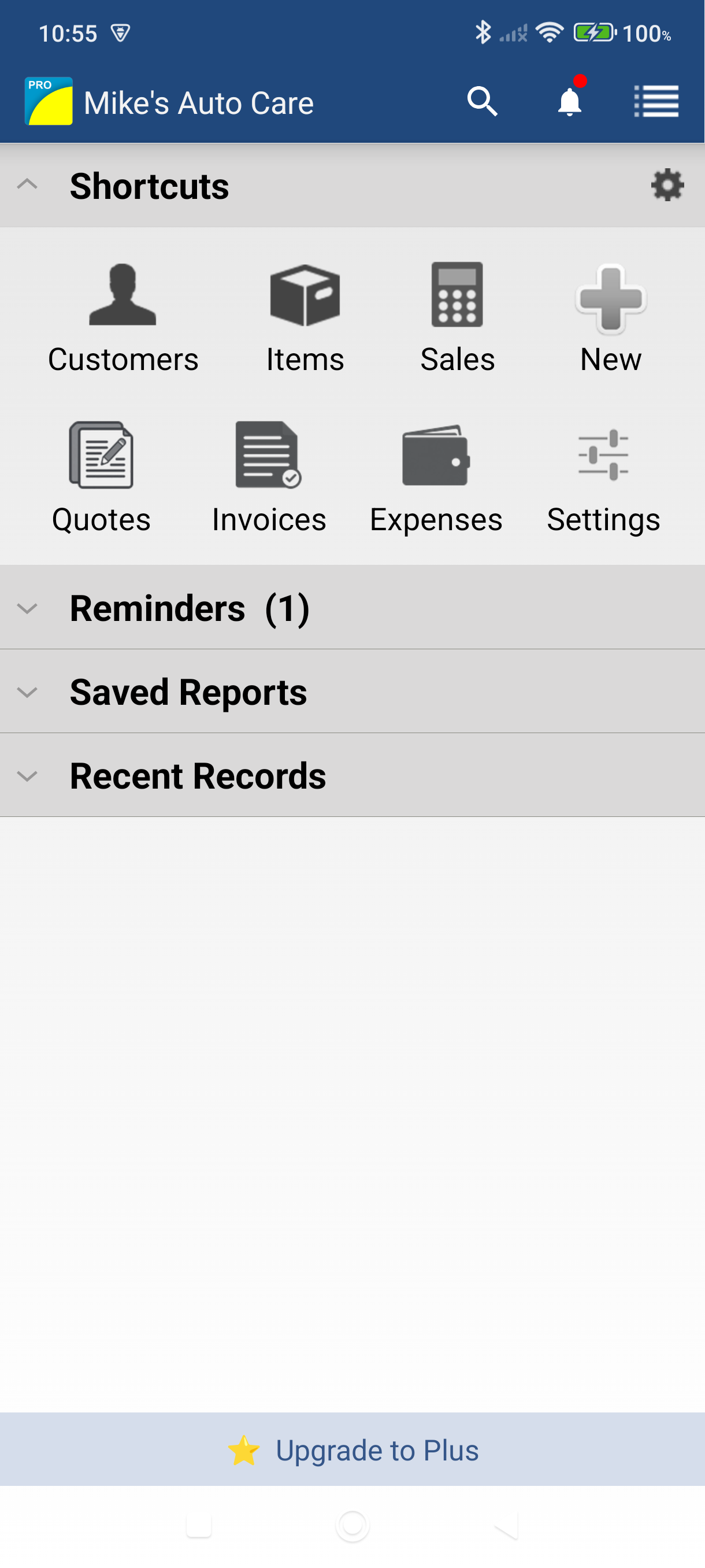
Tap "Upgrade to Plus" on the main Dashboard — you'll see it near the top of the screen.
-
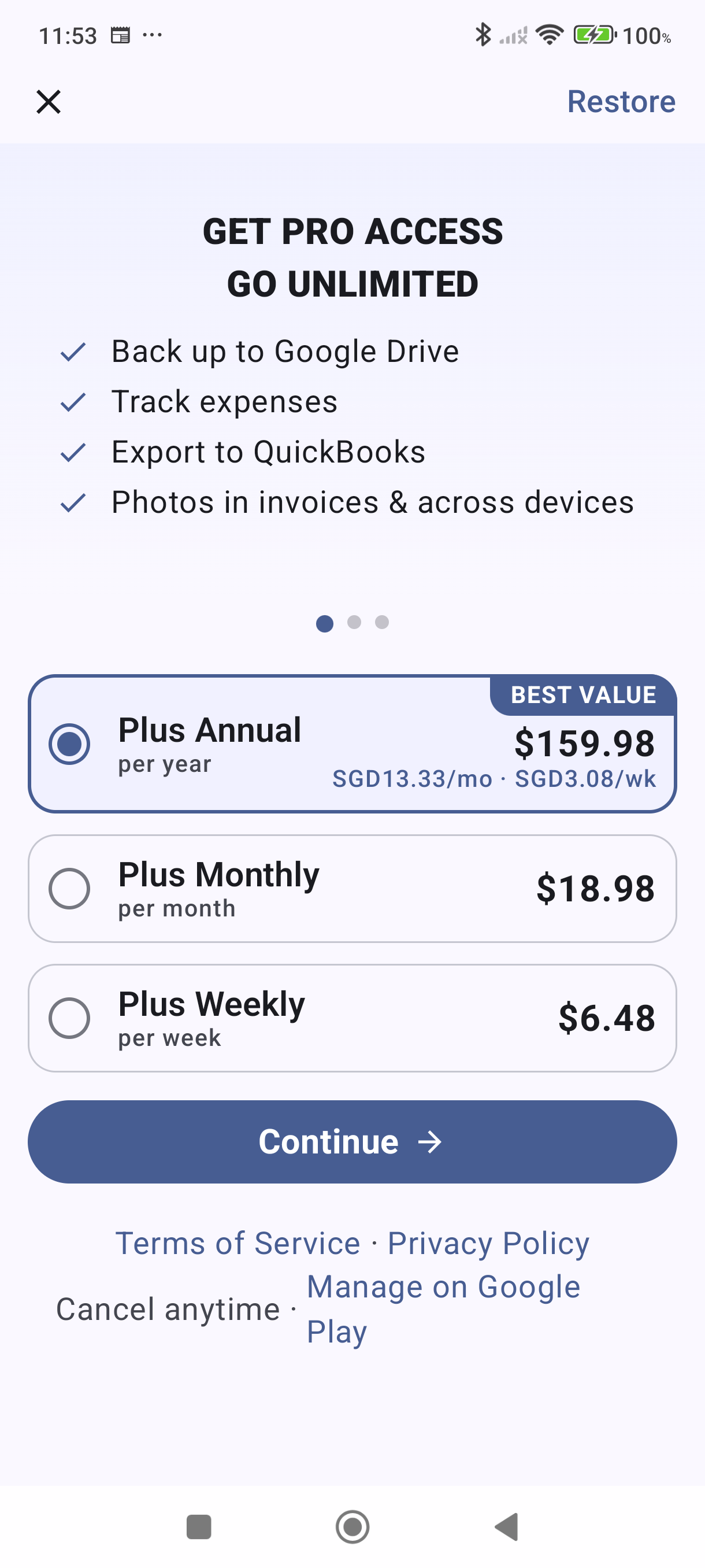
Swipe through the feature slides to see what's included.
-
Choose a plan — Plus Annual (best value), Plus Monthly, or Plus Weekly. Pricing is shown in your local currency.
-
Tap Continue — this opens the Google Play checkout. Complete your purchase using your Google account payment method.
-
Welcome to Plus! After purchase, you'll see a confirmation screen listing your unlocked features. Tap Get Started to begin.
Managing Your Subscription
- Check your status — The Dashboard always shows whether your Plus subscription is active (green checkmark).
- Restore a purchase — If you reinstall the app, tap Restore (top right of the subscription screen) to reactivate your existing subscription.
- Cancel anytime — Go to Google Play Store > Subscriptions > MobileBiz Pro Plus. Your access continues until the end of the current billing period.
- Switch plans — Open the subscription screen and select a different plan. Google Play handles the switch.
Good to Know
- Cancelling your subscription never deletes your data. Photos, expenses, and backups you created while subscribed remain accessible — you just can't add new ones.
- Dropbox backup (both manual and automatic) is available regardless of subscription status.
- Your data stays on your device. Photos are also stored securely in MobileBiz cloud for use in PDFs and across devices.
Still stuck? Contact Support for help.